Showing posts with label online tools. Show all posts

Tuesday, September 15, 2015

The Etsy Seller's Guide to Social Media

The Etsy Seller's Guide to Social Media: Building your independent brand on Facebook, Twitter, Google+ and Instagram

After your Etsy shop is set up and your items have been listed, it can be very beneficial to start building your brand identity on social media. Social media helps you attract new customers and develop ongoing relationships with customers who could become very loyal to you and your products for years to come.

Connecting with fans on social media is your opportunity to give customers a more personal, behind the scenes look at your business. It's your chance to tell the story of what makes you and your business special. What inspires you? What projects are you working on?

Each social media platform tends to attract different types of audiences, so it's useful to promote slightly different content in different places. Depending on the amount of time you are able to commit to social media, it's perfectly fine to start small and choose just one place to promote yourself.

Facebook


With over 1 billion active users Facebook is the most popular social media platform around. As you begin promoting your business page on Facebook, it's quite likely that many of your followers will be friends, family and co-workers that want to know "What have you been up to?"

Since many of your Facebook followers have a real world connection to you and your business they are very interested in your day to day successes and struggles. Show off your work in progress, celebrate sales, share your inspirations and ask questions.

Twitter


Twitter is a very effective platform for attracting new customers through the thoughtful use of #hashtags. However, it can be challenging to capture people's attention in 140 characters or less. That makes Twitter a great place to be more quirky, funny or even a bit vague so people will click on your links.

Be funny, clever, insightful and don't underestimate the power of sharing pictures of your pets or random things that just make you smile.

Google+


Google+ is the new kid on the block when it comes to social media and is still regularly making significant changes to attract more users. As with Facebook and Twitter, you can share a behind the scenes peek at what makes you special on your page.

Google+ also makes it very easy to connect with others who have similar interests through the use of communities. Don't be afraid to join a variety of communities and share your items. Be aware that if you share the exact same content in multiple communities in a short period of time, Google+ will eventually start marking your community posts as spam and they may be permanently removed by community moderators.

Instagram


Instagram makes it easy to share your vision of the world. Unlike any of the other platforms, you must use the app on a smartphone or tablet to share content.  Just snap a picture of what you are doing or products you are listing. When you are writing the caption of your photo, add a few relevant #hashtags.

It's important to include a link to your shop or website in your Instagram profile. This is the only place Instagram displays a clickable link.

Quick Tips


As you begin posting on Facebook, Twitter, Google+, Instagram or any platform, it's important to keep in mind that there's a fine line between promoting yourself and being spammy. If you only share links to your shop items and Etsy treasuries, your followers will quickly lose interest and will likely unfollow you.

Also, if you are use more than one type of social media, it's possible that people are following you in more than one place. Posting different content on different platforms keeps your fans engaged.

And, of course, don't forget to put the "social" in social media. Like and follow others with similar interests. See what they are posting. Leave thoughtful comments and like and share posts from others. What goes around, comes around.


PRESENTED TO YOU BY OUR LEADER :

My name is Ellen and I LOVE to design and create things. I find it deeply satisfying to start with nothing more than an idea and finish with a tangible, beautiful, functional piece of work. I enjoy learning new techniques that I can incorporate into my creations. I practice a variety of different art forms, but find I always have at least one knit, crochet or sewing project in progress.


Shop The Chilly Dog

For free craft pattern's, tutorials and inspiration visit Ellen's blog, The Chilly Dog.


Tuesday, July 14, 2015

Keeping Your Facebook Followers Engaged

How to keep your Facebook followers engaged.

It's not a secret. Your Facebook news feed features posts from pages you interact with regularly.

This can have a HUGE impact on cottage businesses, like Etsy sellers, who use a Facebook page to market their shop. Even if you have a million Facebook followers, if your followers do not frequently like, share or comment on your posts, you will eventually disappear from their feed.

So how do you keep your followers engaged?

Post Frequently


If you are only posting once or twice a month, your stories will get lost in people's news feeds. You simply won't be seen. People will think your page has become inactive and eventually un-follow you.

There's no magic number for how often a business should share on Facebook. I like to post once or twice a day because not every post is seen by every follower. If that seems like a lot, you can start off by posting 3-4 times a week.

Welcome New Followers


Everyone likes to feel special. Post a welcome to your newest followers every week or two. You can make it extra special by including a pretty picture. Think of it like sending a little greeting card to say hi.

If another page has liked your page it's nice to include an @mention in your welcome. (An @mention is just the "@"symbol followed by the page's user name. It creates a direct link to the other business page and sends them a notification that they have been mentioned.)

Thanks for new likes from DeUno Art, Viktoria, Pearl, Lucy, Mis Stepp, and Zelda! Hope you enjoy our posts!


Be Personal


Indie businesses have an distinct advantage on social media because in addition to selling products, we each have a very personal story to tell. Don't be afraid to tell your followers about your triumphs, struggles or even just things that make you happy.


A beautiful handcrafted necklace for a beautiful friend!! Couldn't be prouder :D
Posted by Hanji Naty on Sunday, June 28, 2015


I am 3 items away from 1,000 items sold. I think I should do something special for whoever buys the 1000th item from my shop. Should it be a surprise? Still thinking about it. Feel free to offer suggestions!


Can you find Mr. and Mrs. Goldfinch?I hope they leave some cosmos seeds for me!#chillin #inthegarden #birdwatching

Ask Questions


Everyone wants to share their opinion from time to time. Asking your followers specific questions not only engages them, it also makes them feel like they are an important part of your business.

I have been thinking of remaking a few of these in other colors but it seems the more I think the less I figure it...

Spread Some Love


Small businesses aren't always competitors. If you regularly promote other indie shops, people will remember and possibly even promote your shop.


This is my journal recently purchased from this lovely shop! https://www.etsy.com/shop/CarolaBartz Please visit and find some lovely treasures for yourself!
Posted by Joliefemme on Saturday, June 13, 2015


Found another artist I like. Check out this glass blower:https://www.etsy.com/listing/214506940/black-eyed-susan-lampwork-hand-blown?ref=shop_home_active_7
Posted by Babywear by Babs on Tuesday, June 16, 2015


Follow Others


Don't forget to put the "social" in social media. "Like" other relevant business pages, including the SPS Team, as your page. Also, interact with other pages by liking, commenting and sharing posts you enjoy.

You can find a list of other SPS Team members in the Facebook Directory on our Etsy team forum.


PRESENTED TO YOU BY OUR LEADER :

My name is Ellen and I LOVE to design and create things. I find it deeply satisfying to start with nothing more than an idea and finish with a tangible, beautiful, functional piece of work. I enjoy learning new techniques that I can incorporate into my creations. I practice a variety of different art forms, but find I always have at least one knit, crochet or sewing project in progress.


shop The Chilly Dog

For free craft pattern's, tutorials and inspiration visit my blog, The Chilly Dog.

Saturday, March 28, 2015

Getting Started with Google+


Google+ is joining Facebook and Twitter as one of the most popular social networks on the internet. Even though it is one of the newer platforms, I find that it is fairly user friendly, even for social media newbies.

Many of our SPS teammies have Google+ pages, but they aren't quite sure how to use them, so I'd like to share some very basic information for Google+ beginners.

Your Profile and Settings


Before you start posting, I highly recommend you take a moment to visit the "Home" button on the top left of your Google+ page.

When you hover over the "Home" a drop-down menu appears.

The two tabs you should explore carefully before posting anything are the "Profile" and "Settings tabs. Here you will get to decide personal information you would like to display on your page. Use a little common sense and be careful about what you are telling the entire world.

Once you have completed your profile and settings, you'll want to share your very first post. Posting on Google+ is very similar to posting on Facebook.

Creating a Google+ Post

On your Google+ page you will see a box that looks like this.


Here you can share text, a picture, a link (maybe to an item in your Etsy shop) and more. Click where it says "Share what's new..." and the window enlarges.


If you are sharing a photo or link, it's always good to tell your followers a little bit about it.


Next, decide what type of attachment you will be sharing.


I like to share links to our team blog!


Here's the link to a post I wrote about our SPS Team Community on Google+, http://strategicpromotionforsuccess.blogspot.com/2015/02/sps-team-google-community.html. This is the URL I am sharing.


You can choose to make your post public. If you do this, it will appear in all of your follower's streams. (A stream on Google+ is the sane as your feed on Facebook.)

Or you can share your post privately with a specific person or a circle of friends.

Getting Fancy with Your Posts

Sometimes it's helpful to mention other people in your posts. For example, if you were sharing a link to an item in someone else's Etsy shop, it would be nice to give them credit. 


And, let's not forget to use #hashtags.


If you are still new to the idea of using #hashtags, Google+ has a very helpful feature that the Facebook and Twitter don't. At the very bottom of your "Settings" you can check the option fror Google to automatically add hashtags to your post.


Putting the "Social" into Social Media

Everyone likes to get noticed on social media. Here's a post I recently shared in the SPS Team's Google+ Community 


There are three ways you can tell someone you like their post.

  • +1 it: clicking on the +1 button is similar to "liking" on Facebook
  • Share it: Click on the arrow button to share a post on your Google+ page
  • Add a comment... Interact with others by leaving a comment on someone's post. (More common sense - your comments are public, so it's best to keep things friendly.)
Once you are feeling comfortable on Google+, I hope you'll join the SPS Team's Community. It's a great place to find other team members, add them to your Google+ circles, share your shop items and more.


PRESENTED TO YOU BY OUR LEADER :


My name is Ellen and I LOVE to design and create things. I find it deeply satisfying to start with nothing more than an idea and finish with a tangible, beautiful, functional piece of work. I enjoy learning new techniques that I can incorporate into my creations. I practice a variety of different art forms, but find I always have at least one knit, crochet or sewing project in progress.


thechillydog on Etsy

For free craft pattern's, tutorials and inspiration visit my blog, The Chilly Dog.
Saturday, March 7, 2015

How to use Pinterest

Pinterest is a fun and engaging social media site that is all about stunning visual content. Pinterest has been growing and getting involved can really help you to promote your Etsy shop. But first you need to sign up.


Getting Started

Open an account and link it to your business page and email. Once your account is active you can begin to create interesting content that will get you some followers. Since 80% of pins are re-pins, you want to add pins that people will find when searching and want to re-pin to keep on their boards.

Your Pinterest feed shows what you like and also helps people get to know your interests.

Create interesting content by giving your boards fun names and creating engaging inspiration boards. Use secret boards to pin new content and likes and then move them to other boards in the correct seasons and to highlight certain events.

Some fun board name examples: jet-set for a travel board, shoe shine for a board about shoes, fabulous food and drink for a board about recipes, furry friends for a board about cute animals, life wisdom for a board about inspiring quotes, and many more that you can find by just looking at Pinterest.

Inspiration boards can contain ideas for travel, entertaining, recipes, colors, or supplies for your craft and techniques, tutorials and diy projects.

In order to build up your boards and followers you must find and follow like-minded pinners who enjoy the same things you do. SPS Team has an account that you can follow here. Joining a community of pinners to follow and finding other sellers and customers to follow you is easy when you join a long established and popular account like this.

Creating engaging content is a balancing act and you don’t want to just pile on pins of items from your shop or people will unfollow you and you won’t get your message out. In order to be engaging, you must curate and edit your pins so that they show your brand and create an interest.

Quick Tips

  • Make a board for your Etsy shop and add items from your store.
  • Daily pinning helps you to get regular attention.
  • The best time to pin is in the afternoon and evening as that is when most people are on Pinterest.
  • In order to network your Pinterest you need to connect it to your other social media accounts, such as your Facebook business page and by adding a Pin it button to your blog so others can share what you do.

Just get started and with a little time and effort you will find that Pinterest can bring traffic and customers to your shop when used consistently.


PRESENTED TO YOU BY OUR LEADER :

My name is Diana. Self-taught seamstress of clothing and household decor, I start with inspiring patterns and modify them to my taste. I'm hooked on fabric accessories! Soft and washable! Great fun fabrics inspire me! I love to explore new styles and designs! Handmade is a process that should show itself in the finished product and adds to its beauty. Custom requests are welcome!


Friday, October 17, 2014

How to Publish your Treasuries on your Blog Quickly and Easily

As we all know, Etsy treasuries are a great tool to promote your items, as well as your fellow Etsians' merchandise.

Now that the Etsy Front Page has changed, many Etsy sellers and shop owners are looking for new ways to promote their items, and the treasuries they create on Etsy.

Today I am going to introduce Toastie Studio's Treasury HTML Code Generator. This convenient tool can generate within seconds the HTML code necessary to post any Etsy treasury onto your blog or website.


How does it work?

1) Go to the Toastie Studio's Treasury HTML Code Generator page : http://toastiestudio.com/etsy/treasurycode.php


2) Enter the URL of your Etsy treasury. 

You can find the URL in the navigation bar of your browser, when you are on your treasury page.

You can use a treasury you created, a treasury in which you are featured, or any other treasury for that matter! All you need is a complete URL.


3) Choose the layout of your treasury :

You can choose between three layouts : traditional, images only, and tiles images. For all three layouts the title of the treasury and comments you entered in the description box will also appear.


Option 1 : Traditional 
It will look pretty much like an Etsy treasury, with the photos, the title (item), the name of the shop and the price. Each picture is clickable, and will take you to the item's Etsy page.

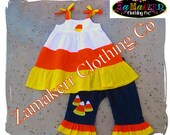
Halloween Candy Corn Girl Outfit Set Custom Boutique Clothing Pant Set Pageant Toddler Baby 3 6 9 12 18 24 month size 2T 3T 4T 5T 6 7 8
$48.99
Dark Haunted Forest, gothic foggy photography, black and white print, dark art, misty, nature landscape, Dark Winter, quiet
$25.00
Wicked Witch Dictionary Art Print, Wizard of Oz Halloween Decor Printed On An Upcycled 1897 Dictionary Page Party Decor
$11.00
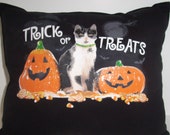
Handmade Ooak HALLOWEEN CAT And PUMPKIN Pillow, Upcyled Pillow, Cottage Chic, Decoration
$14.00
Cute Childrens' Scarecrow Costume, Size 4-14, Butterick 4287, UNCUT
$5.00
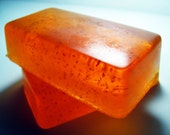
Exotic Yuzu & Blood Orange Exfoliating Soap
$5.50
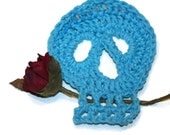
Day of the Dead Sugar Skull Crochet Aqua
$3.99
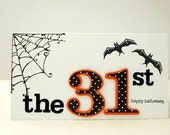
Halloween Card, October 31st Halloween Card, Polka Dot Halloween Card,
$4.00
Demon Monster Skull ,Rubber Mask,Halloween Horror Scary Mask
$20.00
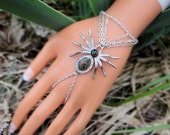
Spider Hand Chain, Halloween  Infinity Ring, Hand Harness, Slave Bracelet, Body Jewelry, Body Chain, Hand Jewelry
$18.00
Halloween Wreath Happy Halloween Raven/Crow Skull Spiders and Glitter  Handmade by FeistyFarmersWife
$45.00
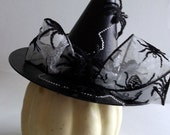
Witch Hat with Spiders Black paper mache Halloween Decor
$15.95
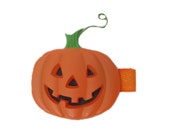
Pumpkin Hair Clip, Halloween Hair Clip, Jack O Lantern Hairclip, Hair Bow, Toddler, Girls, Adult, Fall Accessories
$3.00
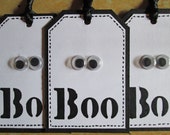
Halloween Gift Tags, Gift Wrap, Ghost, Spooky Eyes, Cute Gift Tag, Halloween Party Gift Tags, Favor Tags
$5.00
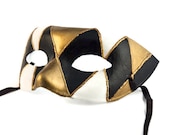
MASK - Masquerade mask, Mardi Gras,Venetian Masks Black Male Mens Venetian Ball Mask: Harlequim Venetian Mask black white and gold for men
$35.00
Lucy and Snoopy bobbing for apples
$60.00

Powered By Toastie Studio - Etsy Tools


Option 2 : Images Only
You will see the images for all the items of the treasuries, but without a description, a shop name or a price. Each picture is clickable.

Vintage style shabby chic hand painted wooden kitchen decorative cutting board gift idea for her mother's day gift red heart valentinesvintage holiday cookie cutters // u-pick individual // red tupperwareSterling SIlver Red  Carnelian Pendant/2strand necklace  &  earrings 10% Sale   Was  45, now only 40.5.5Fridge magnets heart felt beige, red and pink hand-embroidered - Set of 4
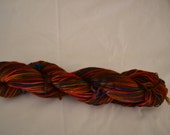
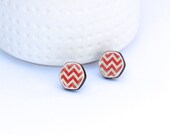
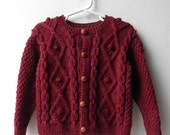
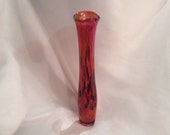
Hand Dyed Bluefaced Leicester Superwash Fingering/Sock Kaleidoscopered and white zig zag hexagon wood stud earrings with surgical steel posts and backsHand Knit Fisherman Knit Baby Boy Sweater Aran Knit Baby Girl Heirloom Cardigan Irish Sweater Size 18 to 24 MonthsTall Hand Blown Glass Vase, In Warm Red-orange with Bright Pink.
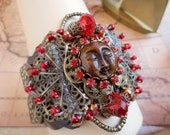
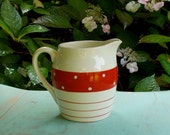
On Sale... OOAK Red Glass BONE Moon Face Weaved BAROQUE Armlet Bangle Arm BraceletVintage English Pottery Milk Jug - Red and White Pitcher - Polka Dots and Stripes - Kirkham Pottery - Cottage, Farm, Country KitchenFine Art Photograph - Model A Stop Tail Light, Americana, vintage, antique, Cars, Automobile, Classic, Ford, old, red, black, Chrome, whiteFlower painting Red rose art Painting of roses Floral abstract Pretty flowers painting  8 X 10 Acrylic on paper Garima Parakh
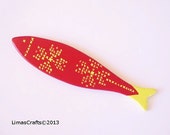
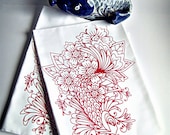
Stretch bracelet black red women teen gift OOAKHandmade JewelryWooden Fish, Wall Hanging Fish, Red Fish, Traditional Motifs Decoration, Decorative Wooden Fish, Nautical Decoration, Maritime DecorationRetro egg cups by Gerda from Germany. Red / yellow / breakfastKoi Tea Towel set of 2

Powered By Toastie Studio - Etsy Tools


Option 3 : Tiled Images
The treasury will look more like a picture collage, with the pictures close to each other (without any text, shop or price). Each picture is clickable.


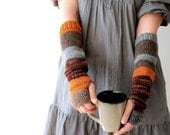
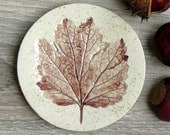
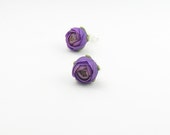
Hand knit arm warmers / urban rustic / autumn color / earthy brown / rust / pumpkin orange / rustic gray / arm cozy / mix and match for herFall Ceramic Dish Rustic Small Pottery Plate Autumn Leaf Jewelry DishTiny violet purple polymer clay earrings - polymer clay jewelry - stud earrings - floral earringsOrange Craspedia, 100 stems, Billy Balls, Billy Buttons, Yellow Dried decor, modern decor, modern wedding, wedding decor
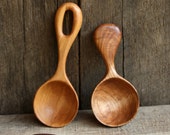
Artisan Coffee Scoop Set - Wood Scoops - Wooden Spoons - Kitchen Utensils - Gift For Gourmet Chef or FoodieScarflette Hand Knitted in Orchid WoolPorcelain Country Hens, Rustic Folk Art , Set of THREE -Made to OrderBotanical print, fall, brown, orange, cream, still life, autumn, green,earth tones, natural colors, minimalist, fine art print, 8x10 print,
Deep Salmon 50g Fingering SkienFall Decor, Red Apple, Primitive Fall Decor, Rustic Harvest Decor, Teacher Gift, Apple Decor, Primitive Apple, Apple Kitchen DecorPurple Necklace Felted Ball Necklace Boho Wood NecklaceNature Photogaphy, fantasy, fairies, seed pods, purple, bokeh, One Enchanted Evening fine art photgraphy print
Fruit food art for the kitchen dark purple blue mauve spring  - Figs II 8 x 10Purple Swirl Dangle Earrings Cube Lampwork Beads  - Grape Sours.Red Love Coffee Mug - Wheelthrown8x8 Beer

Powered By Toastie Studio - Etsy Tools


4) Choose the number of columns : You can select between 1 and 6 columns. All the items of the treasury will be displayed, but the width will vary depending on your choice.


5) Choose the image size : Small, Medium or Large. The default size is Medium.


6) Press "Submit" to generate the HTML code. You can see the preview directly on the website, and make changes if it doesn't suit your needs.

Once you have found exactly what you are looking for :


7) Copy the HTML code and paste it on your blog or website (using the HTML mode). You can easily select the entire code by clicking "Select Code", and use the Copy and Paste functions.

The code generated will work with all popular blogging platforms (Blogger, Typepad, Wordpress) and on Website that use HTML code.


What are the benefits of this tool?


  • This tool is very easy to use, and generates the HTML code within seconds;
  • You can preview your treasury directly onto the page, which allows you to make desired changed without having to go back and forth between the tool and your blog;
  • It gives you option to adapt the treasury to the needs of your blog or web pages (size, style, etc.)
  • It generates an active code, which means that the code will automatically "refresh" if a change is made to one of the items in the treasury (a change of price, an item is sold or expired, etc.)
  • It's free! Hurray!

Do you know any other useful tools to publish or promote your treasuries? Feel free to leave a comment and share your best tips with us !


* * *

PRESENTED TO YOU BY OUR LEADER: 


My name is Natalie. I am a French-Canadian gal, but I live in South Korea. My passion is called "Hanji" : sumptuous Korean paper made of mulberry pulp. Hanji has been used for a thousand years in Korea to create decorative, ceremonial and daily-life objects. For me, it is essential to offer useful and practical objects, that can enjoyed on a daily basis. Tissue cases, pen holders, jewelry, fridge magnets, hair accessories: let the beauty and unique character of Hanji paper make our everyday life objects irresistible!

  
  Delicate Coral Green Striped Hanji Paper Dangle Earrings OOAK Handmade Striped Hypoallergenic hooks Lightweight     

www.etsy.com/shop/HanjiNaty

Follow Natalie's Blog For The Latest Updates To Her Shop:


www.hanjinaty.com